
 AI Workforce


Keep your team aligned on chat where work happens
ZenChat connects your team through real-time communication inside Zenoti. Staff can share appointments and guest details directly in the flow of work, without switching apps.
Your staff stays aligned, informed, and focused on guests, even when things change fast.

Built for moments that matter most
Guest arrivals. Last-minute delays. Schedule changes. Same-day updates.
Most teams handle these moments through slack, teams, WhatsApp, or verbal handoffs – tools that don’t understand the context of your business.
ZenChat keeps communication inside Zenoti, so updates are easier to send, easier to understand, and easier to act on.

Coordinate faster when things change
When guests arrive early, providers run late, or schedules shift, updates stay connected to the schedule, so everyone knows what changed and what needs to happen next.

Real-time 1:1 coordination without interruptions
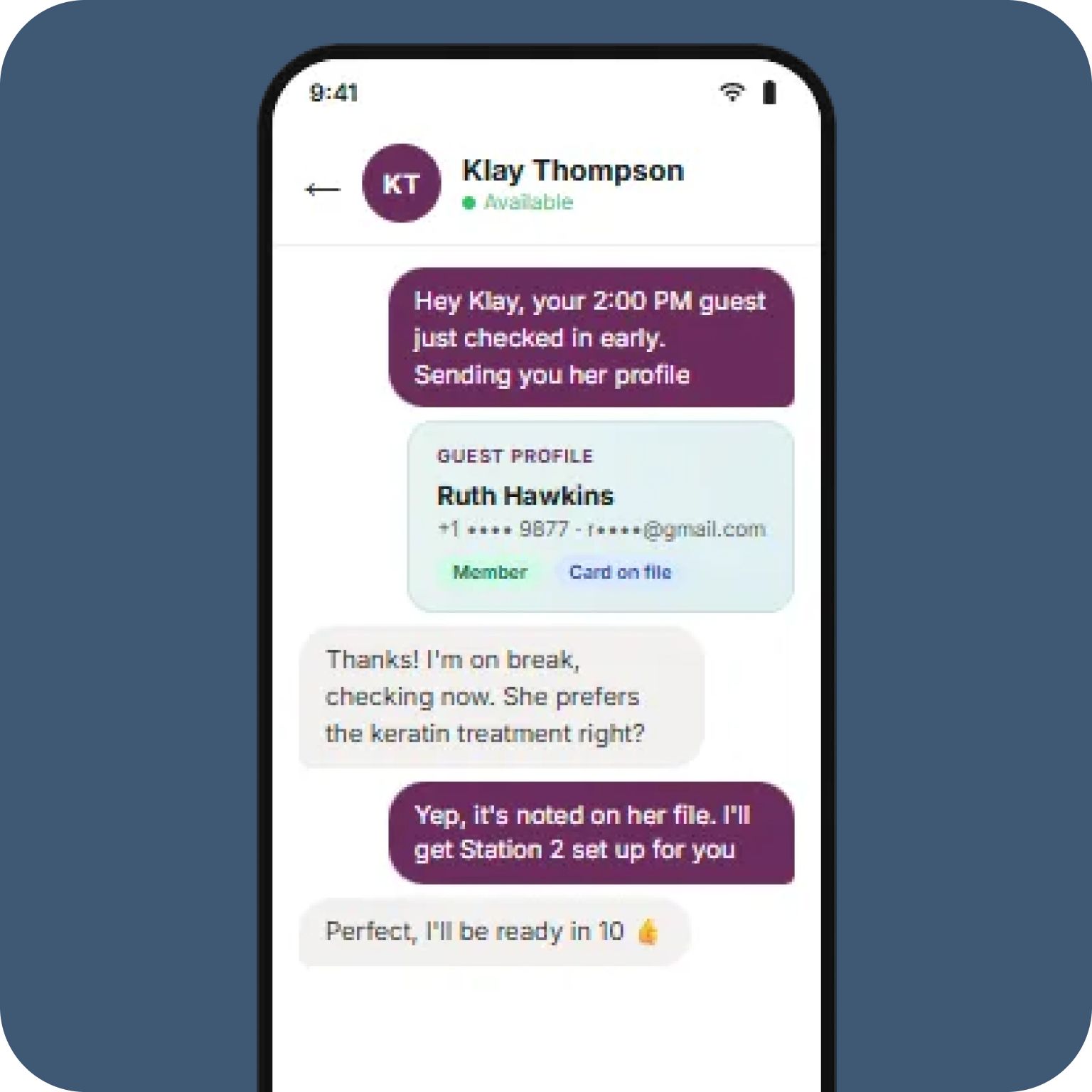
Front desk and providers can handle time-sensitive moments quietly in one place. Messages include the context needed to act, without stopping a service or tracking someone down.

Send the right updates to the right people
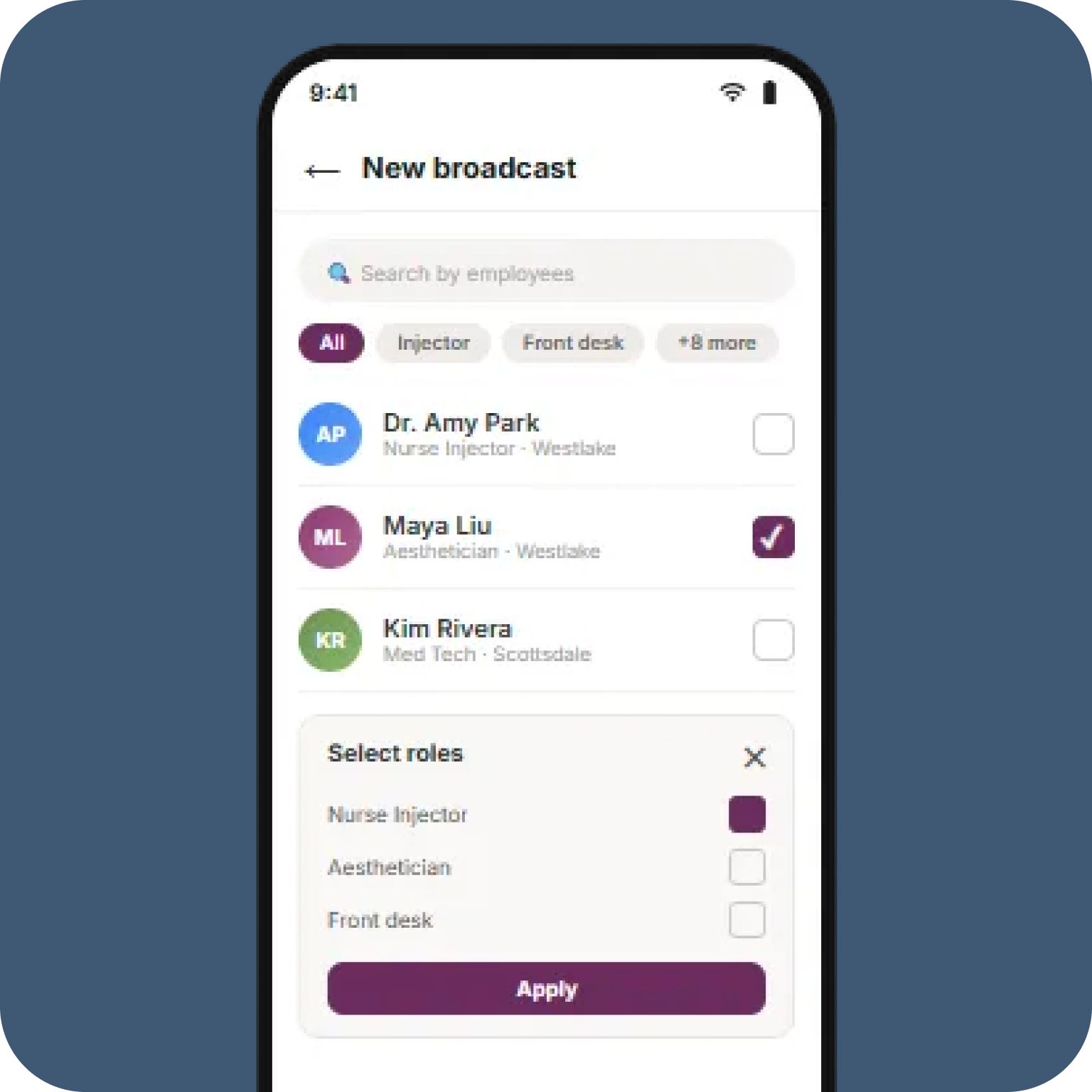
Not every message is for everyone. Central offices or managers can seamlessly share important updates by role or location.
Keep guest information secure and compliant
Guest details stay inside Zenoti instead of being shared through personal texts or apps. This reduces compliance risk and keeps sensitive information where it belongs.
How ZenChat Works
Messages live right next to appointments, guests, and staff, so updates always have context.
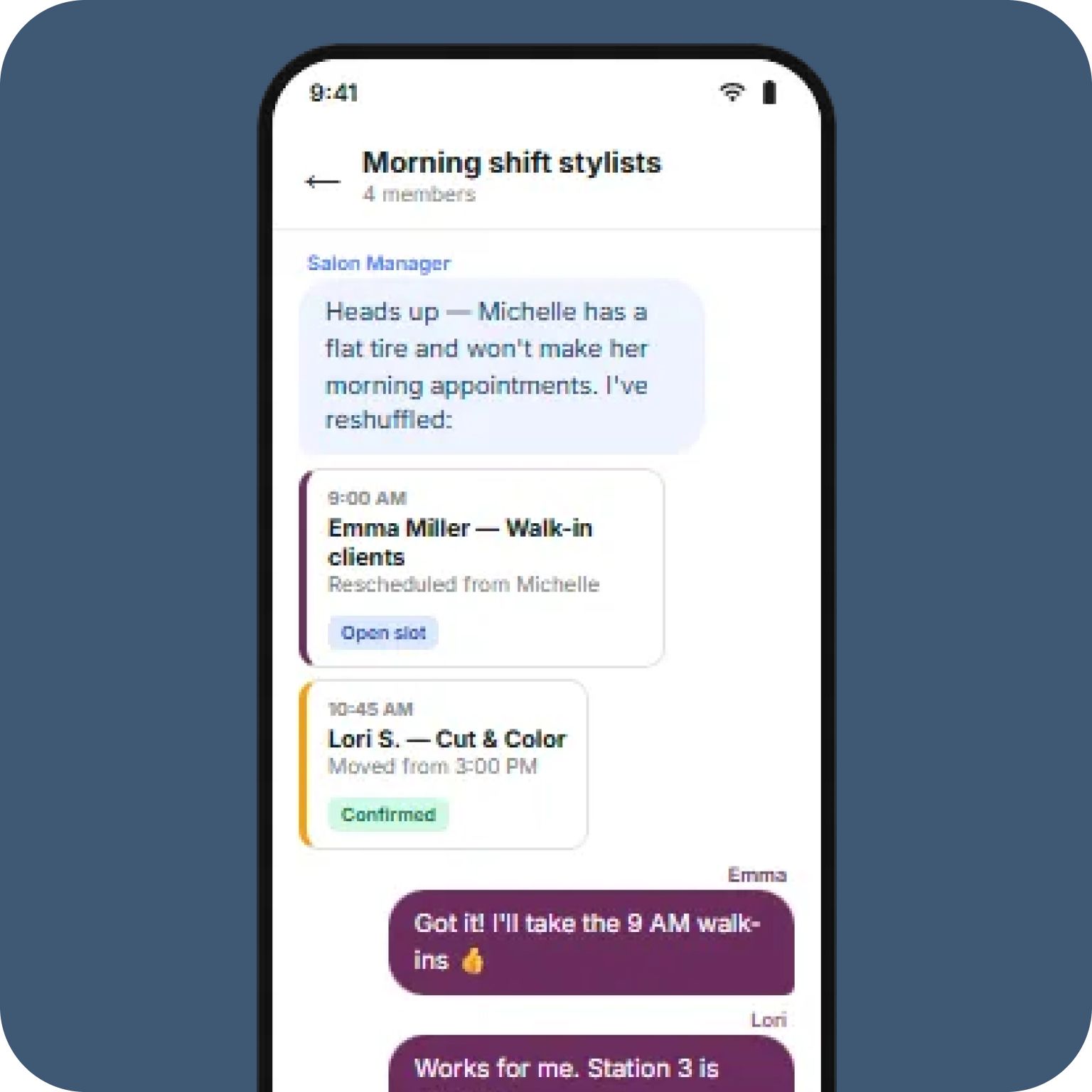
Quick, quiet messages for time-sensitive moments like guest arrivals or delays.
Align teams during disruptions like last-minute absences or coverage changes.
Send important updates by role or location, once, with confidence.
Key Features of ZenChat
Built into Zenoti
ZenChat lives inside the appointment book, myZen, and admin console. Your team communicates in the same place they manage schedules, guests, and daily operations.
Context-linked messages
Messages can include appointments, guest details, or invoices, so your team can understand complete context of the work.
Multiple ways to communicate
ZenChat supports 1:1 chat, group chat, and broadcast. Each designed for a different kind of operational need.
Secure internal communication
Guest and business information stays inside Zenoti instead of being shared through personal phones or third-party apps, securing data and minimizing compliance risk.
Grows with your business
ZenChat scales with your business by supporting unlimited messaging and sharing within each location, while making it easy for teams to collaborate across centers as you grow.
FAQ
Those tools are built for general messaging, not day-to-day operations. ZenChat keeps communication connected to appointments and guest details, so teams don’t have to explain context or switch tools during busy moments.
No. ZenChat lives inside Zenoti, in the appointment book, staff app, and admin tools. Your team communicates where they already work, without opening or managing another app.
ZenChat is used by the whole team. Front desks use it to coordinate changes, providers use it to get the right context without interruptions, and managers use it to share updates clearly without repeating themselves.
Yes. ZenChat supports communication across roles and locations, making it easy to stay aligned as your team or number of centers expands.